Arthora ERP — User Manual
Yeh guide aapko Arthora ERP ke har module ka step-by-step istemaal sikhaati hai — screenshots ke saath. Shuru karne ke liye bas ek browser chahiye: erp.arthora.in. Tally jaante ho to aadha manual aapko pehle se aata hai.
⬇️ Download PDF Manual1 Login & shuruaat
- erp.arthora.in kholo — koi installation nahi, phone par bhi chalta hai.
- Email aur password daalo. Trial liya tha to password signup screen par dikha tha; kharida tha to welcome email me set-password link aaya tha.
- Ek one-time code (OTP) aapke email par aayega — daalte hi andar.
- Pehli baar aane par ek company pehle se bani milti hai, chart of accounts ke saath — kuch register nahi karna, seedha kaam shuru.
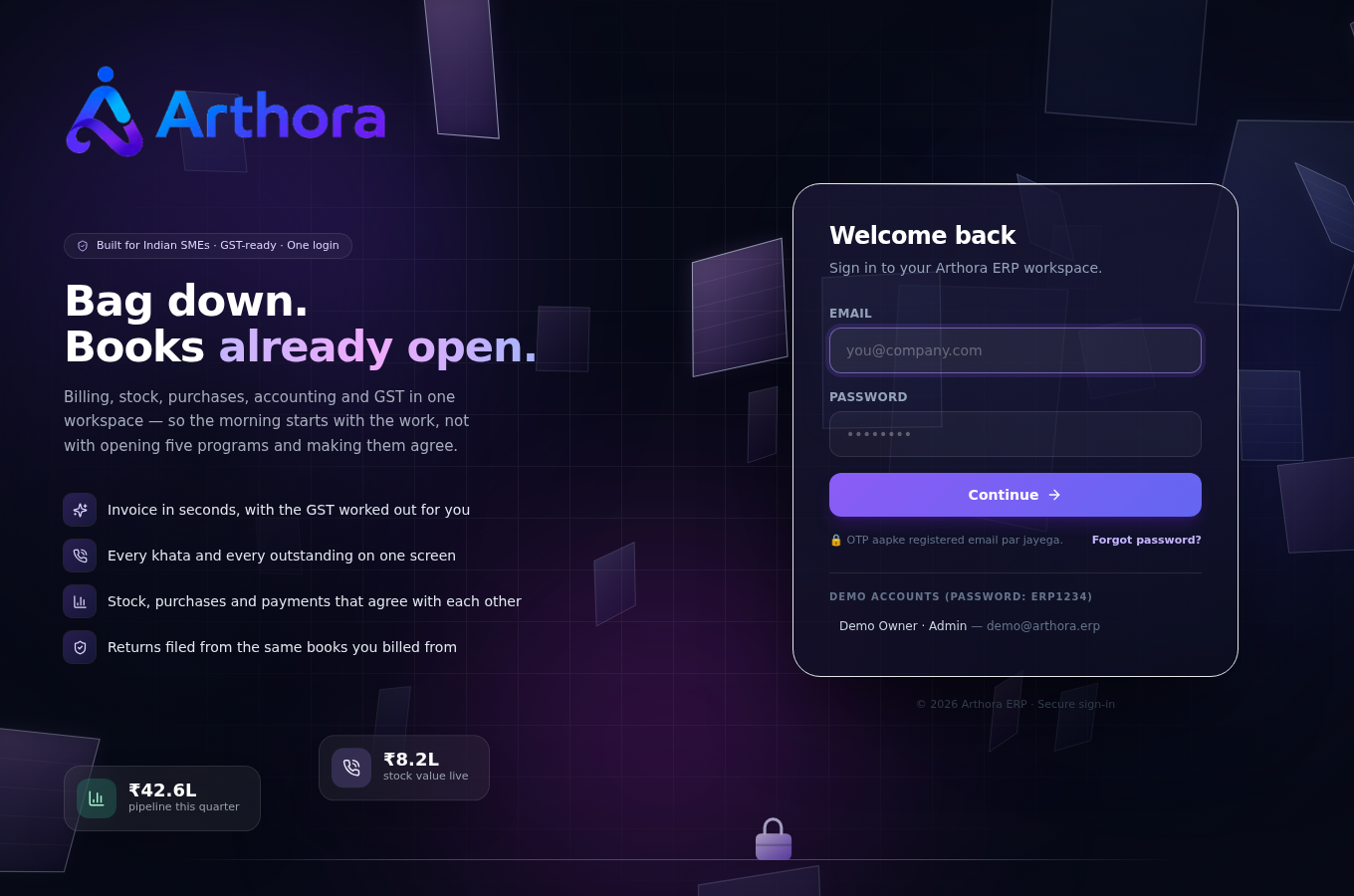
💡 Password bhool gaye? Login screen par Forgot password se naya set karo — link email par aata hai.
2 Dashboard & navigation
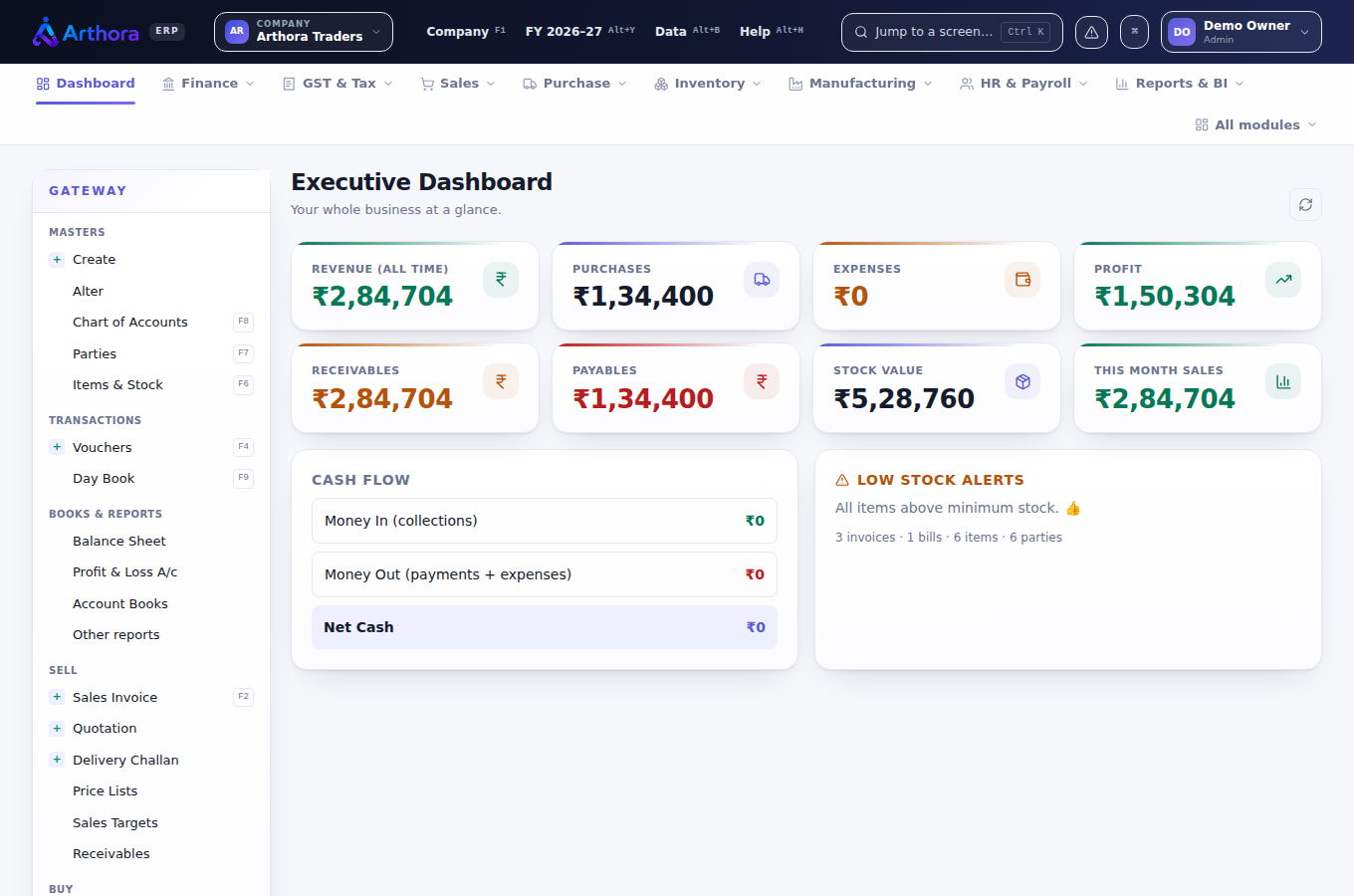
Login ke baad Executive Dashboard khulta hai — revenue, receivables, payables, stock value aur low-stock alerts ek nazar me. Baayi taraf Gateway hai — Tally ke Gateway jaisa: Masters, Transactions, Books & Reports.
- Ctrl+K — kisi bhi screen par jump karo, naam type karke. Sabse tez raasta yahi hai.
- F1 company switch, upar se FY badlo — saal ke hisaab se books.
- Upar ke menus module-wise hain: Finance, GST & Tax, Sales, Purchase, Inventory, Manufacturing, HR & Payroll, Reports.
3 Company & Setup
Sabse pehla kaam: Company & Setup me apni details bharo — yahi har invoice aur har return par chhapti hain.
- Company ka naam, address, state — state se hi CGST/SGST vs IGST tay hota hai.
- GSTIN — software checksum se verify karta hai, galat number save hi nahi hota. GSTIN ke andar ka PAN aur PAN field bhi match hone chahiye.
- PAN aur TAN — TDS returns TAN ke bina file nahi ho sakte.
- Invoice numbering, terms, bank details — jo invoice par chahiye.
⚠️ GSTIN daale bina GST returns preview to dikhengi, par file karne se pehle software khud rok kar batayega ki kya missing hai.
4 Masters — parties, items, ledgers
Parties (customers & vendors)
- F7 ya Gateway → Parties. Naam, GSTIN, state, credit days, opening balance.
- GSTIN daalte hi state code khud aa jaata hai — place of supply wahi se chalta hai.
- Vendor ke liye TDS section set kar do (jaise 194C, 194J) — har payment par khud lag jayega.
- Videshi vendor? Non-resident mark karo, country aur tax number ke saath — uski TDS 27Q me jaati hai.
Items & stock
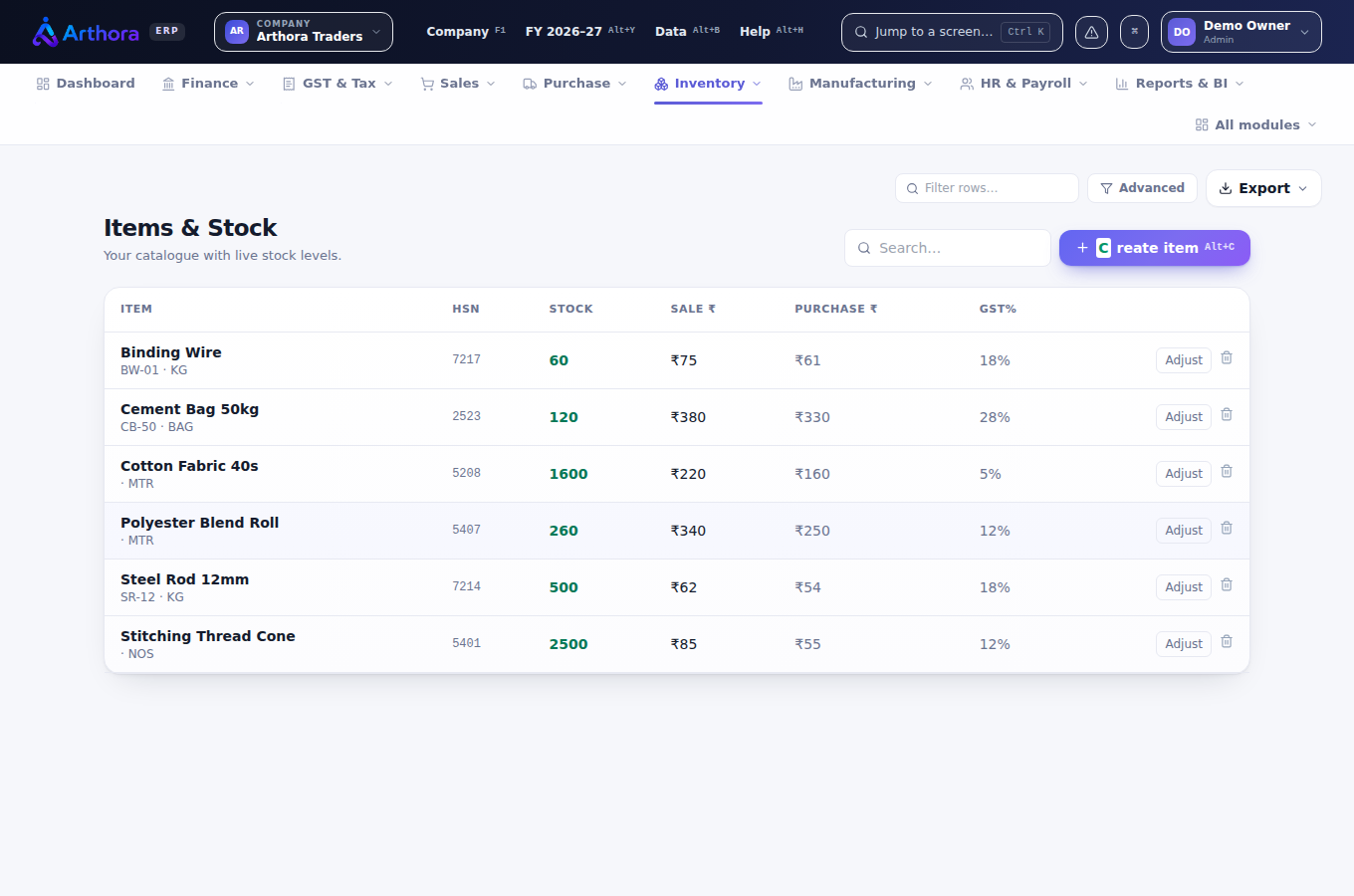
- F6 — item ka naam, unit, HSN, GST rate, sale/purchase price, opening stock.
- HSN yahan ek baar sahi daal do — GSTR-1 ki HSN summary khud isi se banti hai.
Ledgers
Chart of accounts pehle se bana hai — Tally ke groups jaisa. Naya ledger chahiye to Gateway → Create se banao; har party ka ledger khud ban jaata hai.
5 Sales invoice banana
- Gateway → Sales Invoice (ya voucher screen me F8).
- Customer type karo — list filter hoti jaati hai; naya ho to wahi se Alt+C se bana lo.
- Items line-by-line: qty, rate, discount% — GST rate item se khud aata hai.
- Charges & services alag section me: freight, packing, insurance — har ek apne GST rate aur SAC ke saath. Negative amount = discount.
- Tax breakup live dikhta hai — party ke state ke hisaab se CGST+SGST ya IGST khud tay hota hai.
- Save karte hi invoice number lag jaata hai, stock ghat jaata hai, ledger post ho jaata hai aur GSTR-1 me line ban jaati hai — ek hi entry me sab.
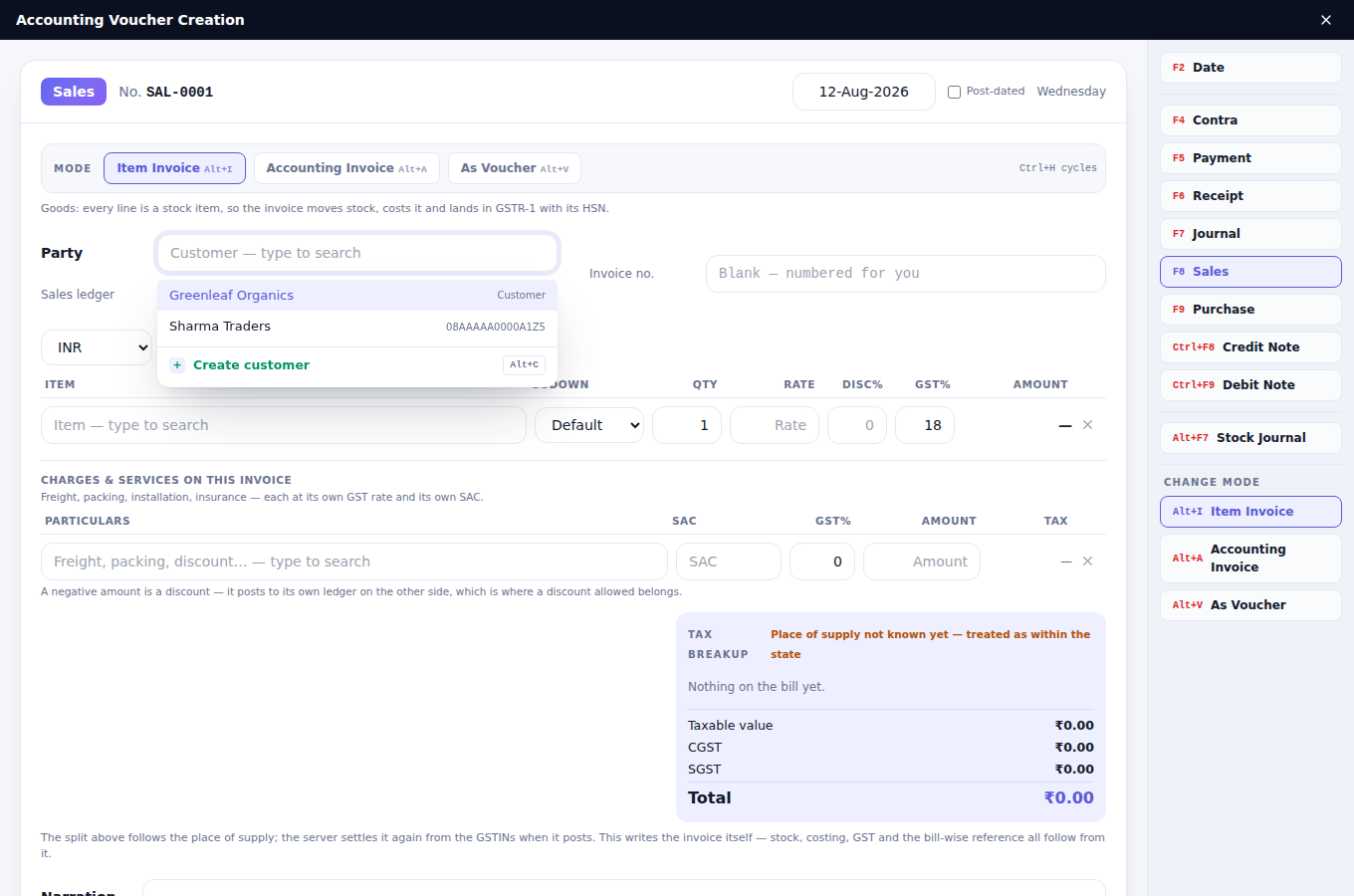
💡 Teen mode hain: Item Invoice (stock ke saath), Accounting Invoice (sirf services), As Voucher (Tally jaisi Dr/Cr entry). Ctrl+H se badlo.
Print/PDF ek click par — GST-compliant format, QR aur bank details ke saath. Credit note Ctrl+F8 se, wahi screen.
6 Purchase & kharcha
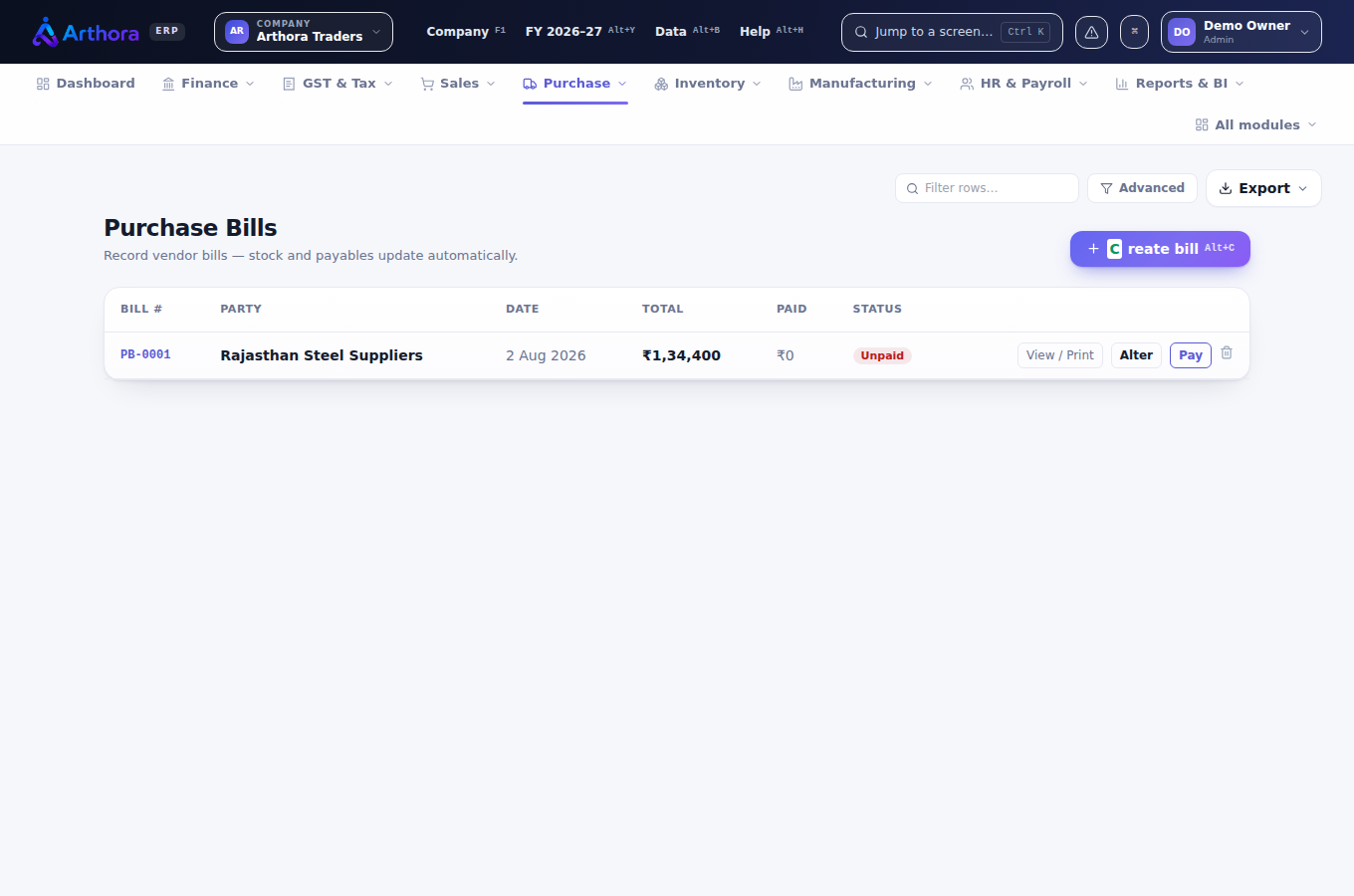
- Voucher screen me F9 — vendor ka bill number aur date ke saath entry karo; stock badhta hai, ITC register me credit ban jaata hai.
- Payment F5, Receipt F6, Contra F4, Journal F7 — sab Tally ke hi buttons.
- Bill-wise settlement: payment ko bills ke against adjust karo — outstanding aur ageing khud sahi rehte hain.
- Purchase orders, GRN aur quality check bhi hain — order se bill tak ka poora raasta.
7 Inventory & godown
- Multi-godown stock — item godown-wise dikhta hai, transfer stock journal (Alt+F7) se.
- Batches expiry ke saath, serial numbers, bins — jahan zaroorat ho wahan on karo.
- Reorder level set karo — dashboard par low-stock alert khud aayega.
- Stock valuation report — kis rate par kitna maal pada hai, godown-wise.
8 Manufacturing
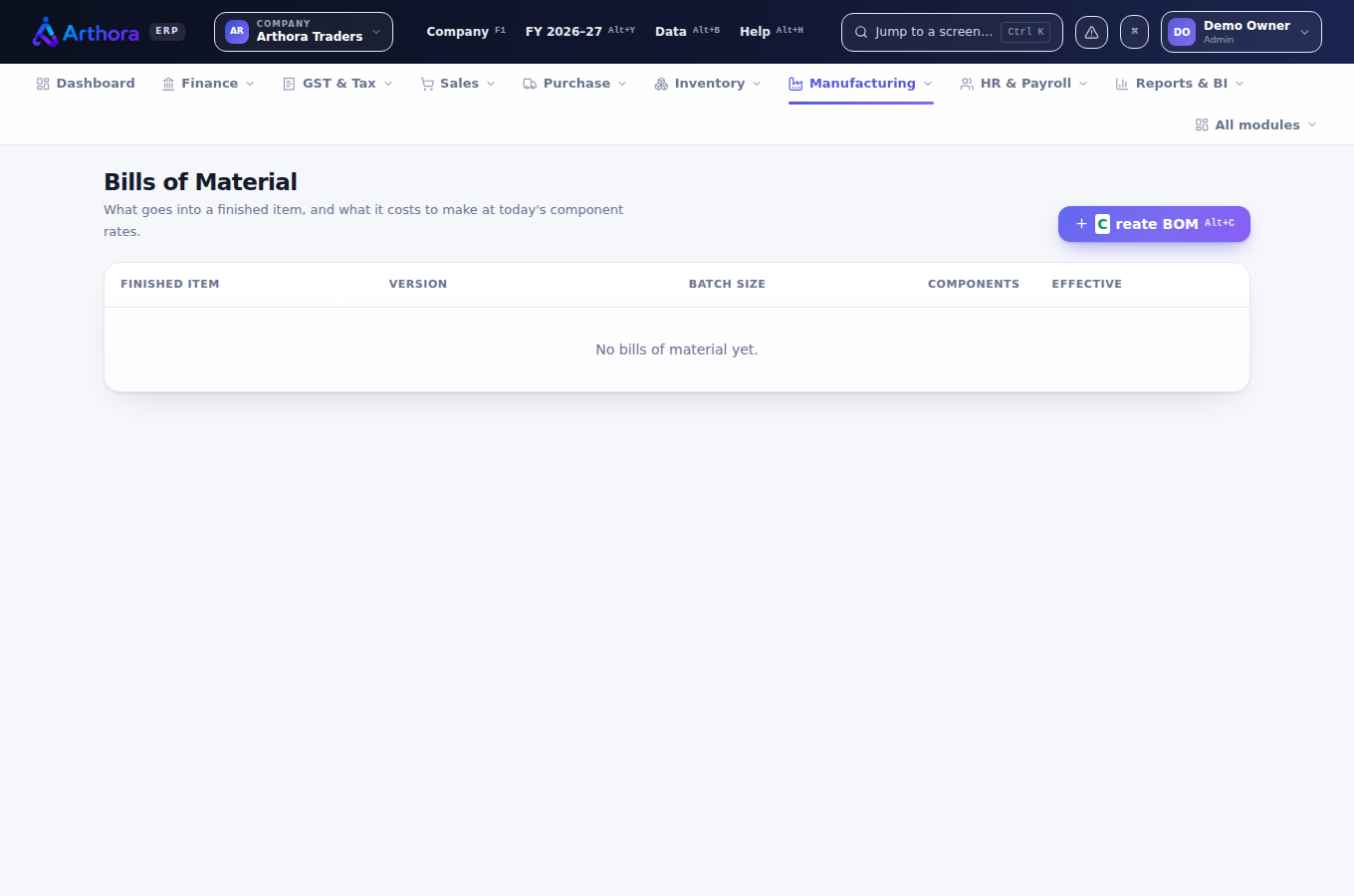
- Bill of Materials banao — ek finished item, uske raw materials.
- Production entry se raw material consume hota hai, finished stock banta hai — costing khud judti hai.
- Routing aur quality checks — stage-wise production ke liye.
9 GST returns
GST & Tax menu me poora compliance hai. Sab kuch aapke vouchers se khud banta hai — alag se kuch type nahi karna.
- GSTR-1 — portal ke tiles jaisi screen: B2B, B2C, exports, credit notes, HSN summary, documents issued. Har tile kholo, records dekho, JSON download karke portal par upload karo.
- GSTR-2B — portal se JSON import karo; software aapki purchase entries se milaan karta hai — kya match hua, kya missing, kiska ITC atka.
- GSTR-3B — 1 aur 2B se khud bharta hai; ITC reversal ke rules ke saath.
- GSTR-9/9C — saal ke ant me annual return ki working.
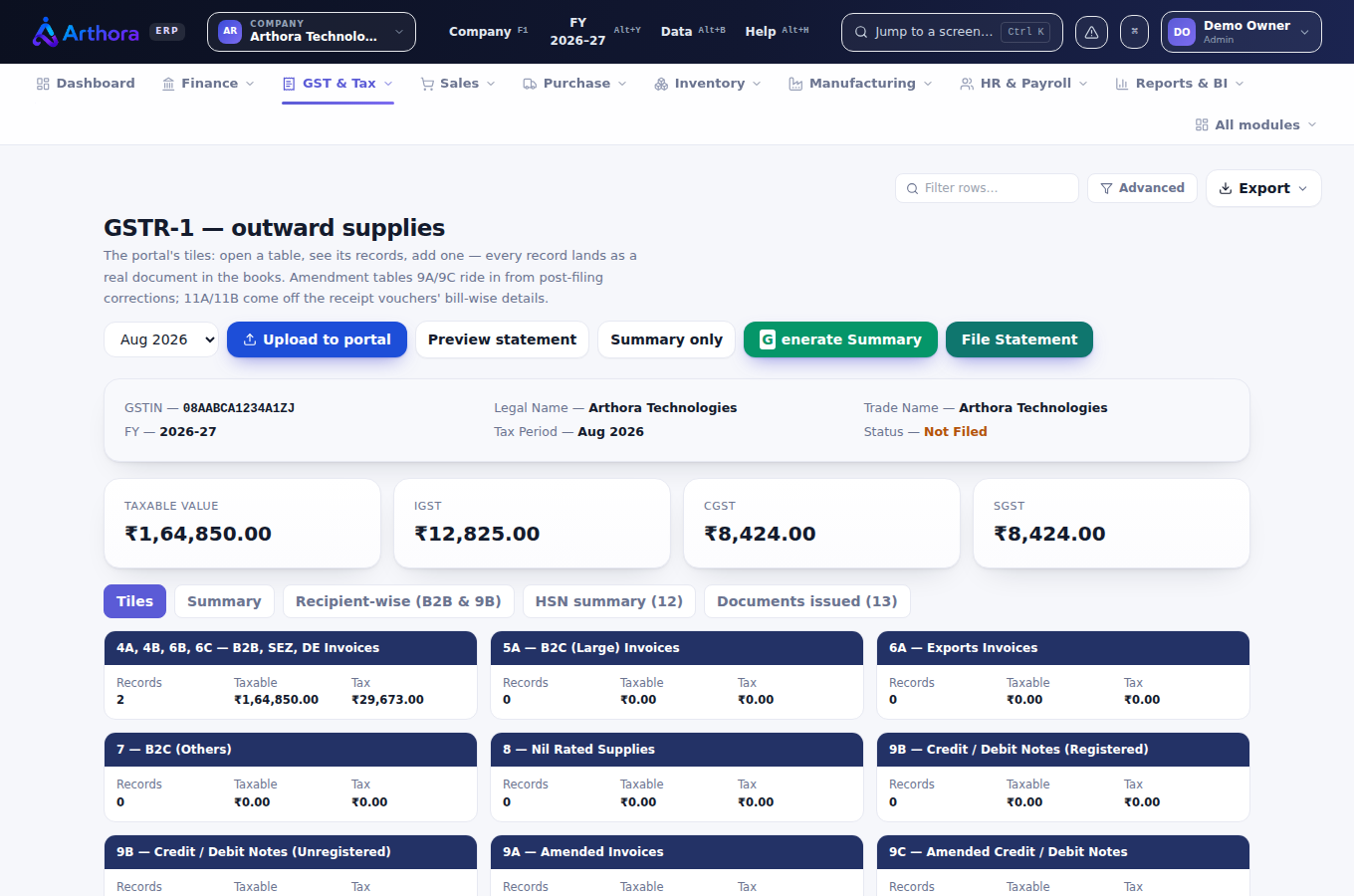
💡 Software file karne se pehle khud jaanch karta hai — GSTIN missing, rate mismatch, jo bhi ho — laal patti me saaf likha aata hai ki kya theek karna hai.
10 e-Invoice & e-Way Bill
- Invoice se e-invoice payload (JSON) ek click me banta hai — IRP ke format me, portal par upload karne ke liye.
- e-Way Bill ka payload bhi waise hi — transporter, vehicle, distance ke saath.
- GSP account hai? Uski API details Setup me daal do — phir submission seedha portal par jayega. Nahi hai to bhi kaam rukta nahi: payload bana kar khud upload kar do.
11 TDS & Form 16
- Deduction: vendor ki payment par section chuno — rate, threshold aur PAN-check software khud karta hai (PAN nahi to 206AA ka 20%).
- Challan: ITNS-281 deposit record karo — late hua to 201(1A) ka interest khud jud jaata hai.
- Returns: 26Q (vendors), 24Q (salary), 27Q (non-resident), 27EQ (TCS) — sab ki file utility ke format me download hoti hai, Form 27A cover sheet ke saath.
- Form 16 har employee ka, aur 26AS reconciliation — jo credit aapka kata hai wo mila ya nahi.
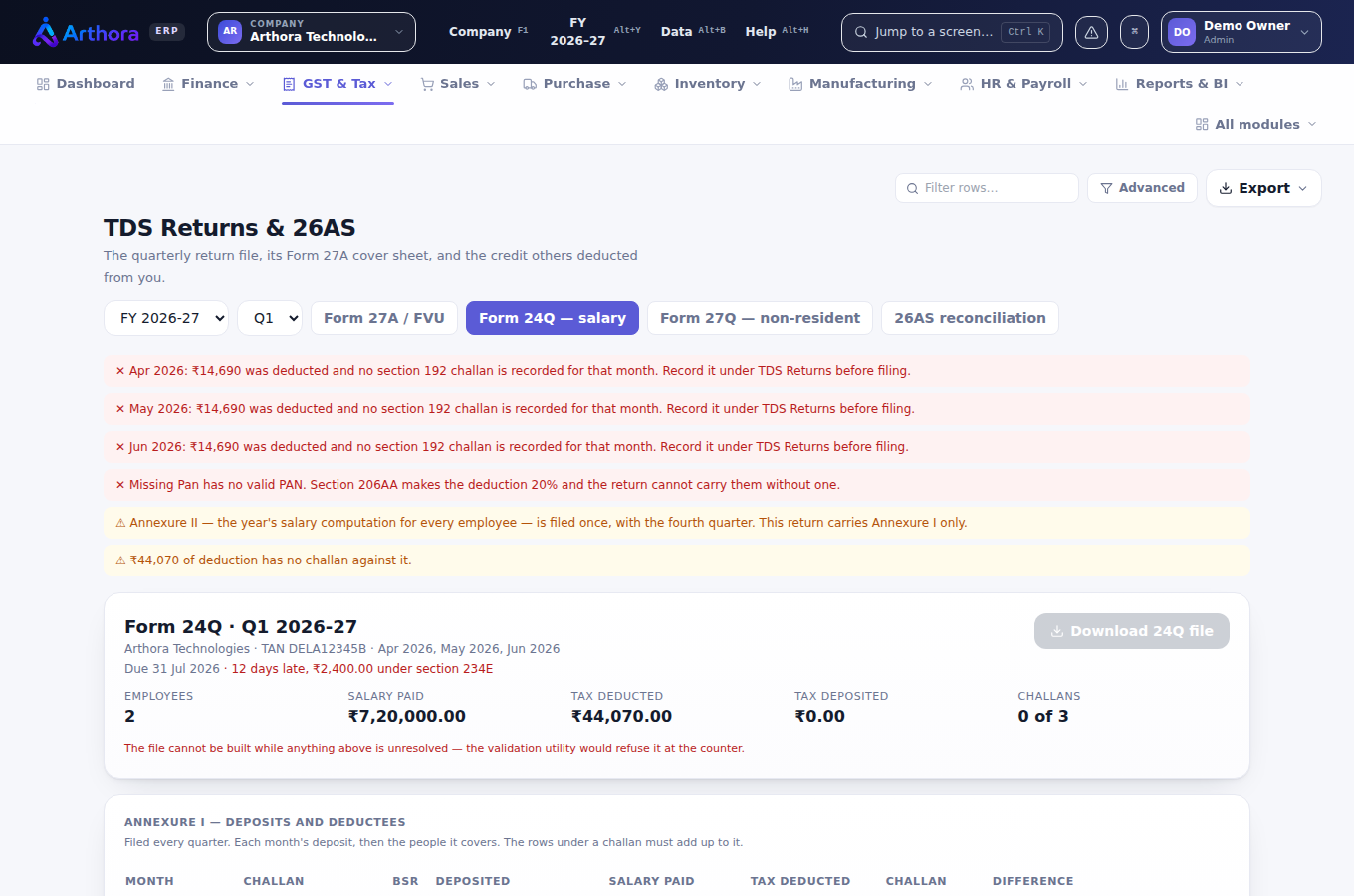
⚠️ Laal messages ko file karne se pehle nipta lo — wahi cheezein hain jin par NSDL ki utility file reject karti hai. Software unhe pehle hi pakad leta hai.
12 Payroll
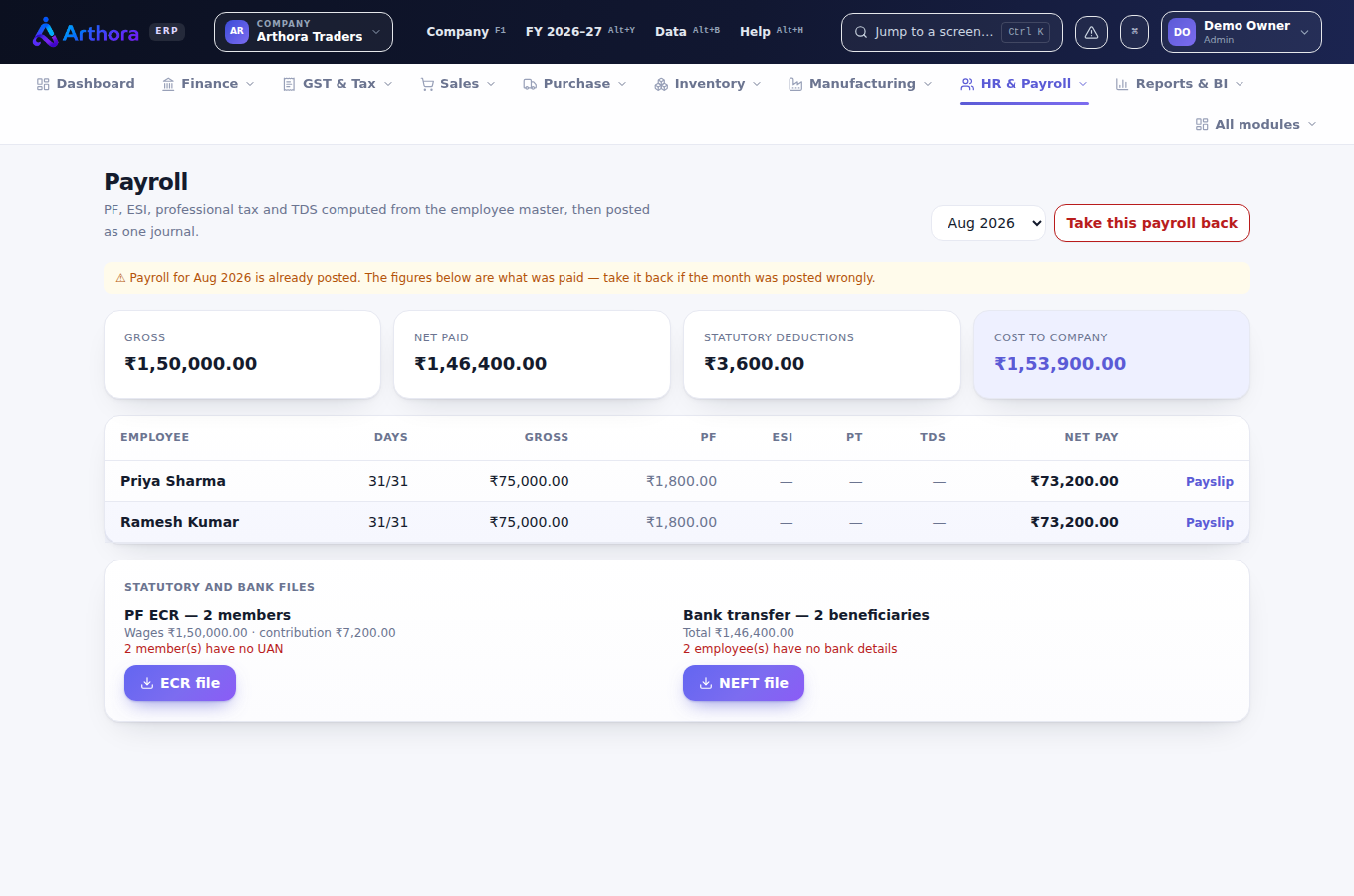
- HR & Payroll → Employees: basic, HRA, allowances, PF/ESI applicable, tax regime (new/old).
- Mahine ke ant me Run Payroll — PF, ESI, professional tax, TDS sab khud cut hota hai.
- Payslips ban jaati hain; salary ki TDS seedha Form 24Q me jaati hai.
- Leave, shifts, claims, self-service — staff apni payslip khud dekh sakta hai.
13 Reports & BI
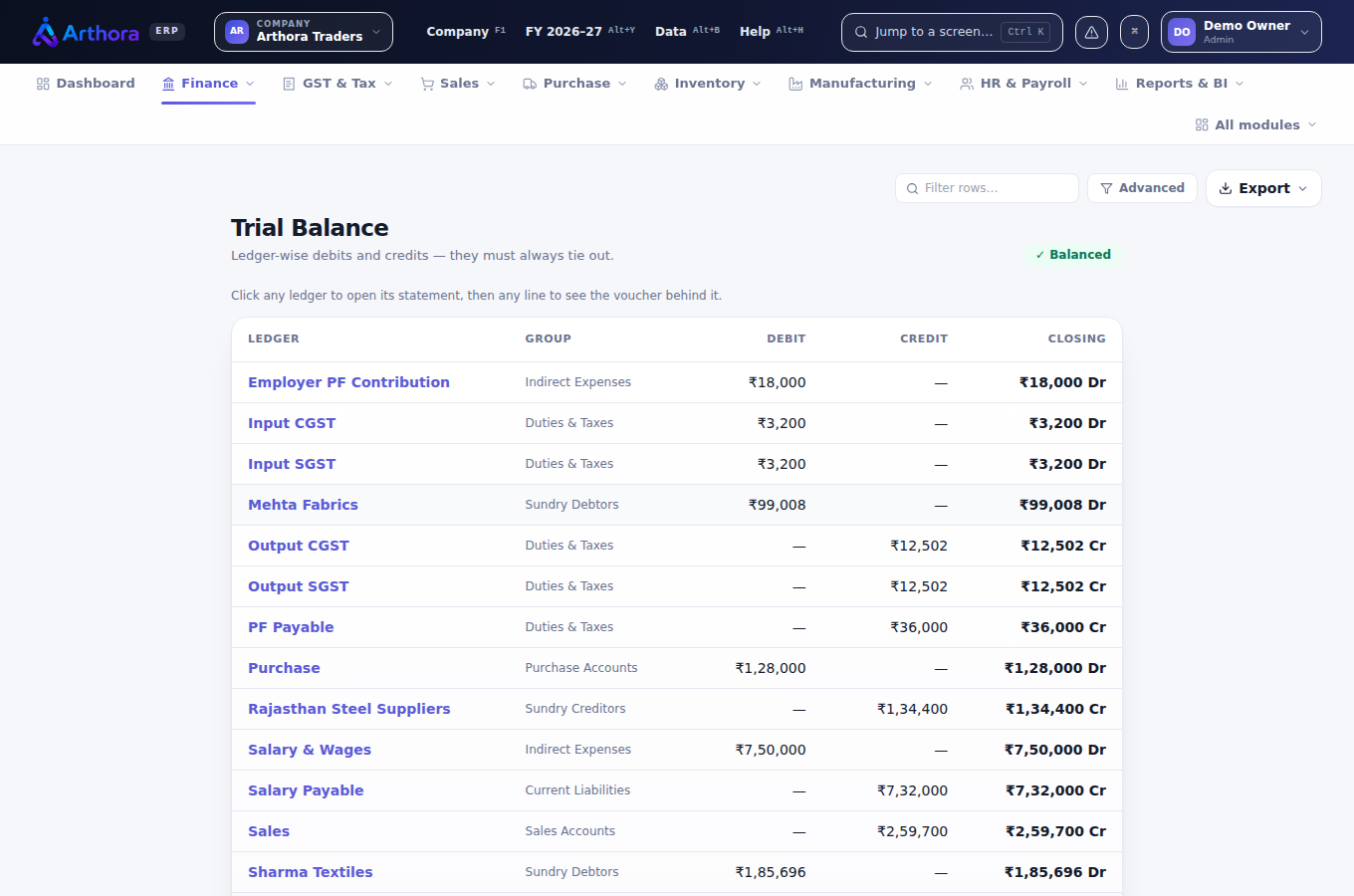
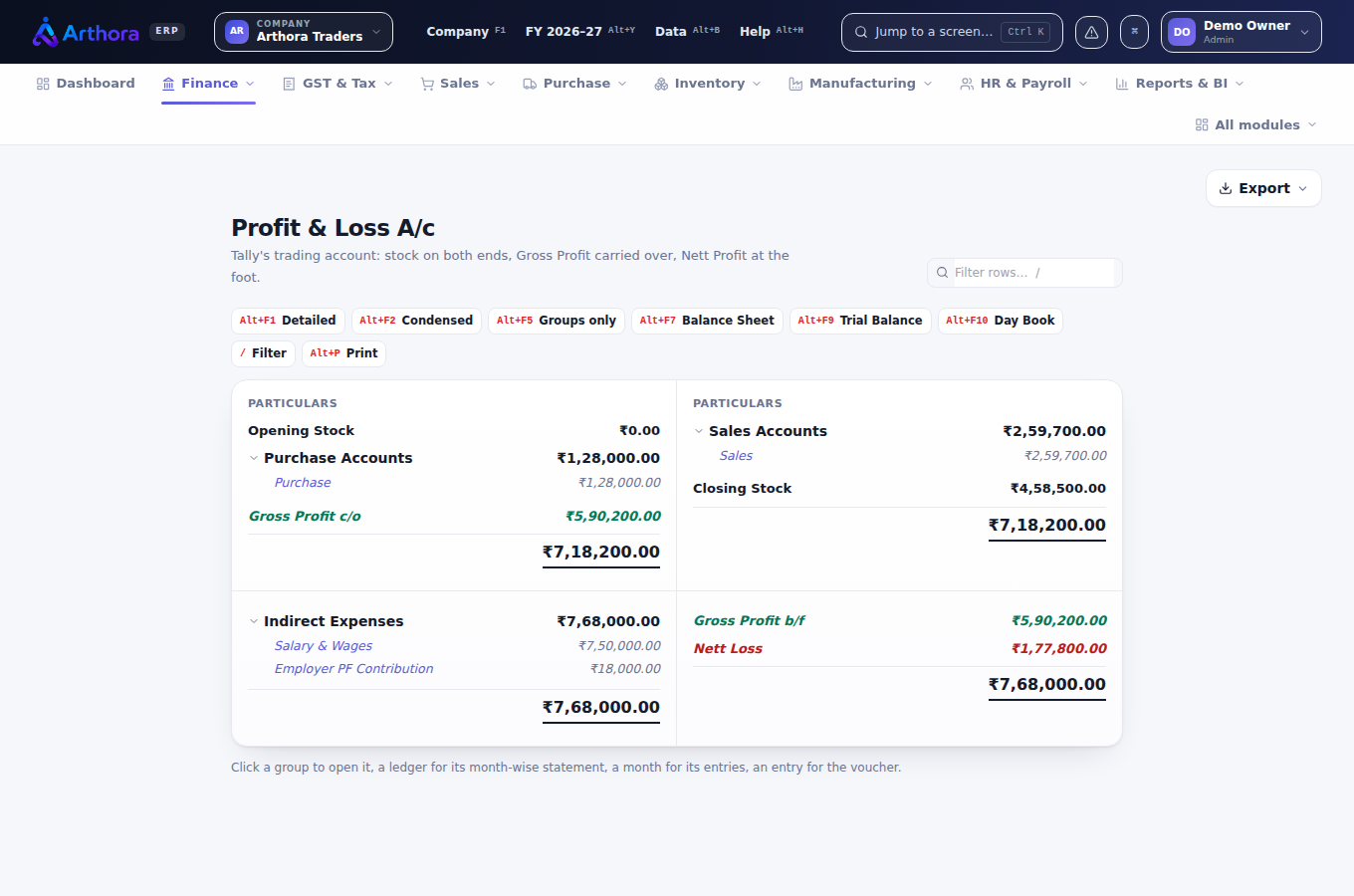
- Trial Balance (F10), P&L, Balance Sheet — hamesha tied, kyunki har entry double-entry se post hoti hai.
- Day book, account books, registers — Tally ke jaise drill-down ke saath.
- Outstanding & ageing — kisse kitna lena hai, kitne din se.
- Bank reconciliation — statement import karo, line-by-line milao.
- Har report Excel/CSV me export hoti hai.
14 Companies, team & backup
Ek se zyada company
- Har plan me unlimited companies — har ek ki apni books, apna GSTIN.
- F1 se switch karo. Group reports sab companies ko ek saath dikhati hain.
Team
- Plan ke seats tak users invite karo — Manager ya Staff role.
- Staff ko sirf wahi companies dikhao jo unke kaam ki hain — company access user-wise set hota hai.
- Koi chhod gaya? Switch off karo — history bani rehti hai, seat wapas mil jaati hai.
Backup & data
- Daily backup khud hota hai; kisi bhi company ka poora backup ek click me download — aur wapas restore bhi.
- Tally se aana hai? Masters aur vouchers import karo — aur galat import ek click me undo.
- Har register CSV/Excel me export hota hai — data aapka hai, hamesha.
15 Trial, plans & billing
- 7-din ka free trial — card nahi lagta. Trial ke baad bhi data delete nahi hota; plan lete hi wahin se aage.
- Plans (saalana): Starter ₹14,999 (3 users) · Professional ₹19,999 (5 users) · Enterprise ₹31,999 (10 users). Har plan me har feature.
- Kharido arthora.in se — UPI/card se payment, account turant, GST invoice email par.
- Renewal jo bacha hai uske upar saal jodta hai — jaldi renew karna kabhi nuksaan nahi.
- Subscription khatam ho jaye to grace period me books padh, print aur export kar sakte ho — nayi entry nahi hoti. Data safe rehta hai.
💡 Madad chahiye? WhatsApp 92515 41185 ya support@arthora.in — jawab insaan deta hai.